ENBLAU internal development
1. Sales
1.1. Needed materials on sales document
- Implementation date: 06/02/2026
-
Requested by: Customer - Aluminios y persianas Álvarez
Development explanation
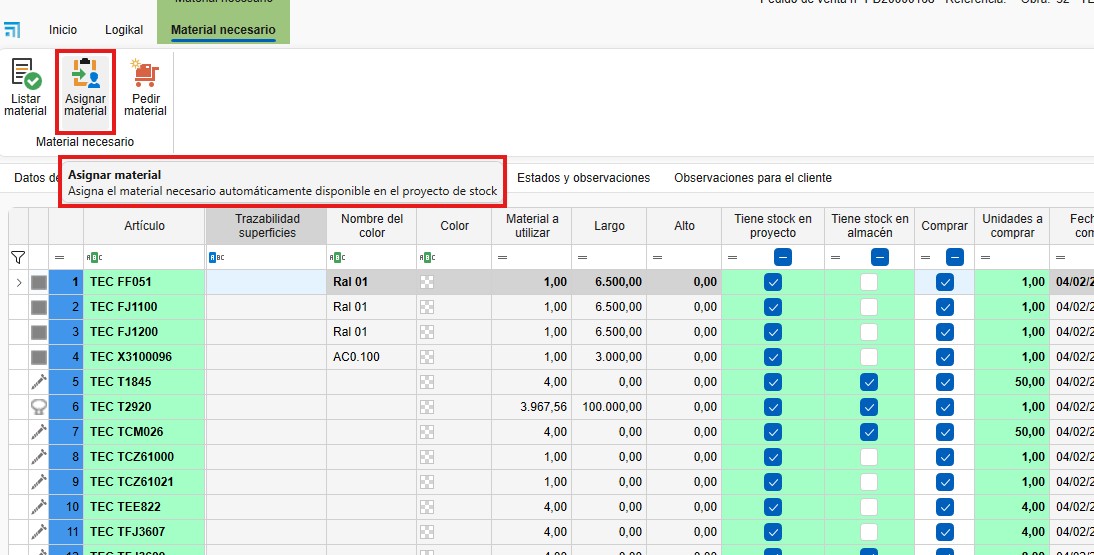
Was difficult for the user choose every material from stock, when is clear that the material from warehouse are available to do the productions. Each position contains a lot of differents materials, each material can be a different line in materials needed. With the button to assign automatically the materials, this work change to much easier.
Other thing is the column, separate "Materials in rpoject" and "Materials in warehouse". Is important to recognise that easily to take measures, like for example, buy materials or assign materials.
Front-end
1.- Added new button to assign materials to the current project automatically, based on the materials assigned to the stock project.

    ButtonAsignarStock

2.- Added new check type column to show materials in current project and materials in stock project.

    .- Added: <dxg:GridColumn (FieldName="TieneStock_ProyectoStock")
    .- Modified: Ventas_Detalle_MaterialTableAdapter.FillBy_VentasID_ConImagen_Modo2
    .- Modified: Ventas_Detalle_MaterialTableAdapter.FillBy_VentasID_ConImagen_Modo2_X_IDVDM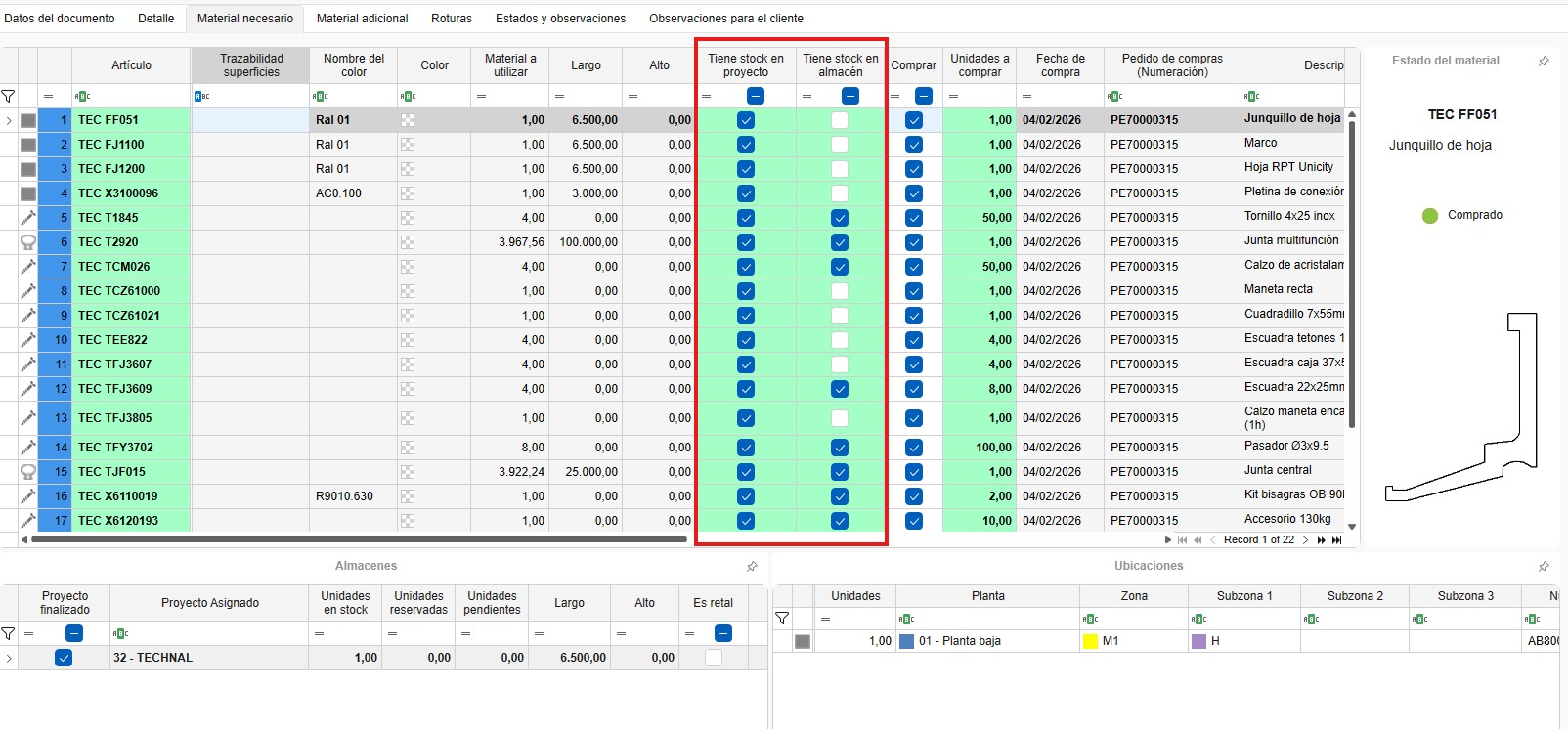
Back-end
1.- Events: ButtonAsignarStock_ItemClick, Almacen_Ubicaciones_Asignar_Auto
2. Purchase
2.1. New development
- Implementation date: Date
-
Requested by: Customer - Internal
Development explanation
Front-end
Back-end
3. Stock
3.1. New development
- Implementation date: Date
-
Requested by: Customer - Internal
Development explanation
Front-end
Back-end
4. Instalation
4.1. New development
- Implementation date: Date
-
Requested by: Customer - Internal
Development explanation
Front-end
Back-end
5. Configuration
5.1. New development
- Implementation date: Date
-
Requested by: Customer - Internal
Development explanation
Front-end
Back-end